 Print
Print
 Close
Close

Get organized: New iOS 18 Calendar features
By Kurt Knutsson, CyberGuy Report
Published November 02, 2024

The latest iOS update brings a host of new features to the Calendar app, transforming it into a powerful organizational tool.
Here's how you can leverage these changes to streamline your schedule and boost productivity.
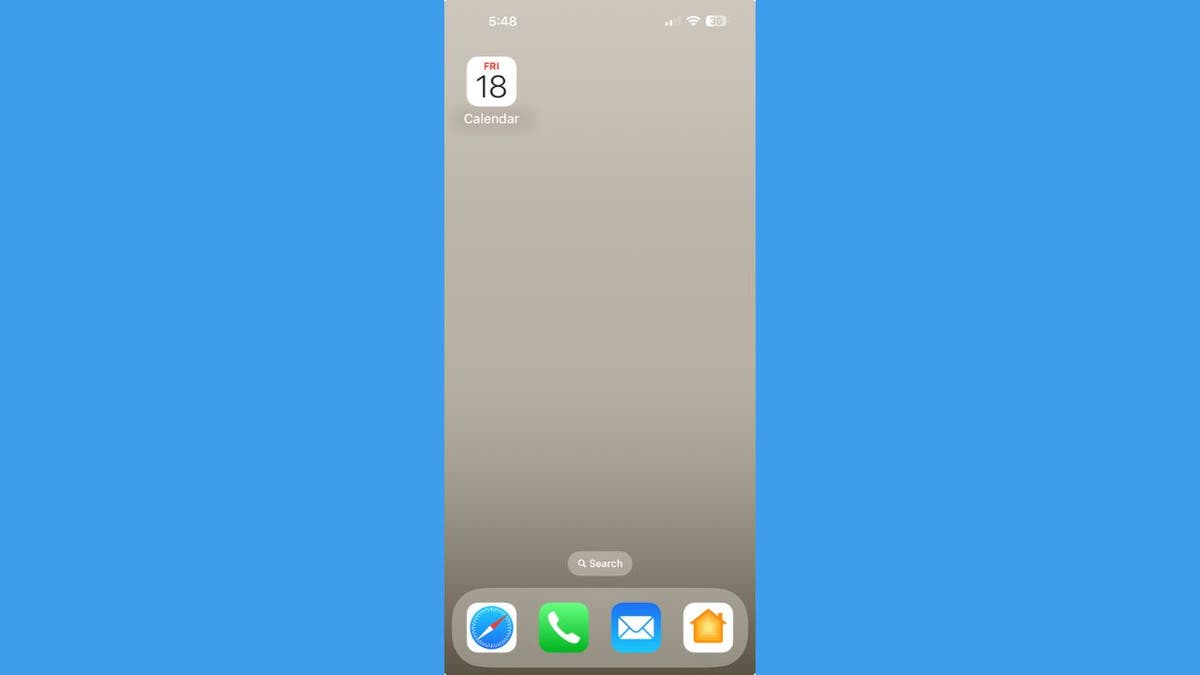
Calendar app. (Kurt "CyberGuy" Knutsson)
Reminders Integration: Your tasks and events in one place
The Calendar app now incorporates reminders, offering a comprehensive view of your commitments:
- Open the Calendar app.
- Scroll through your upcoming days to see tasks alongside events.
- To declutter, tap "Calendars" at the bottom.
- Toggle off "Show Completed Reminders."
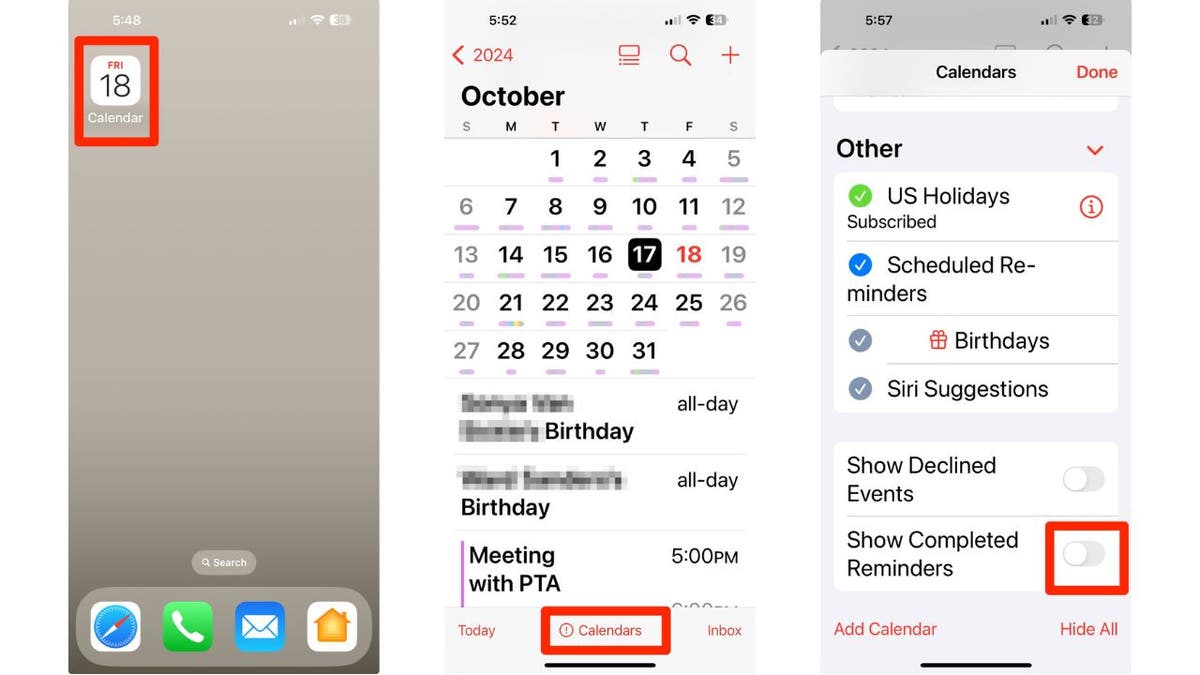
Steps to declutter your Calendar. (Kurt "CyberGuy" Knutsson)
HOW TO PROTECT YOUR IPHONE & IPAD FROM MALWARE
Create and edit reminders within the Calendar app
Seamlessly manage your tasks without switching apps:
- Open the Calendar app.
- Tap the plus icon in the top right corner.
- Select "Reminder" from the menu.
- Fill in task details, set a date and hit "Add."
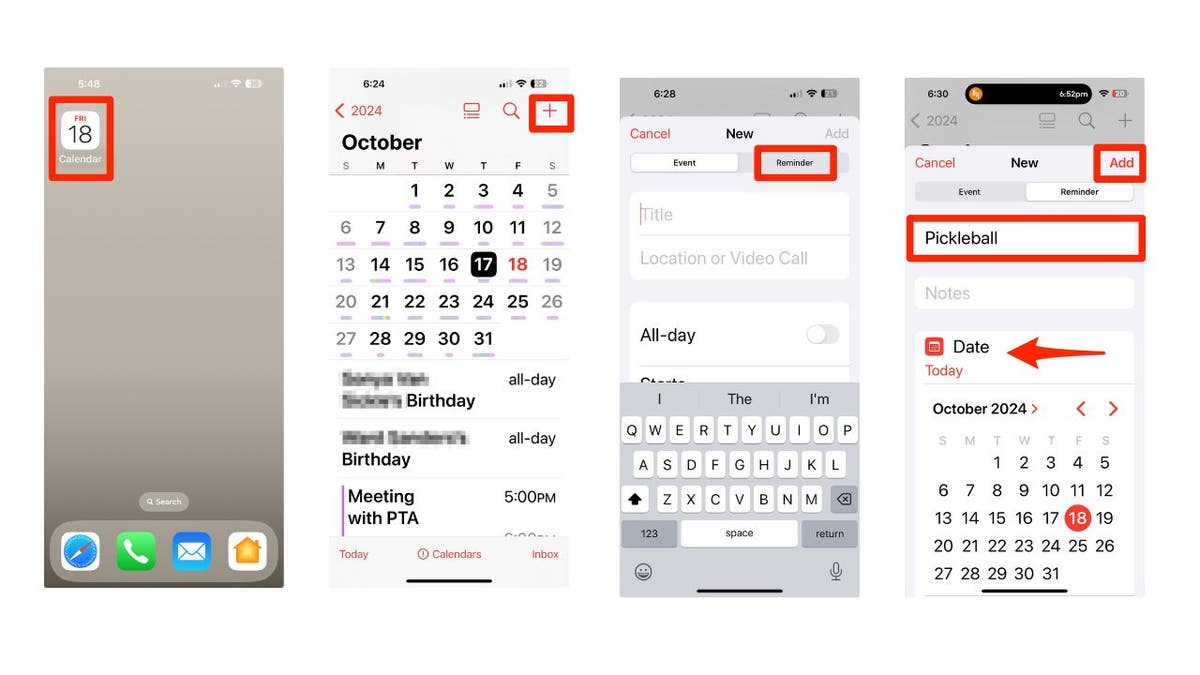
Steps to create reminders in the Calendar app. (Kurt "CyberGuy" Knutsson)
To edit an existing reminder:
- Tap on the reminder.
- Click "Edit" in the right-hand corner.
- Make your changes.
- Tap "Done" to sync automatically with the Reminders app.
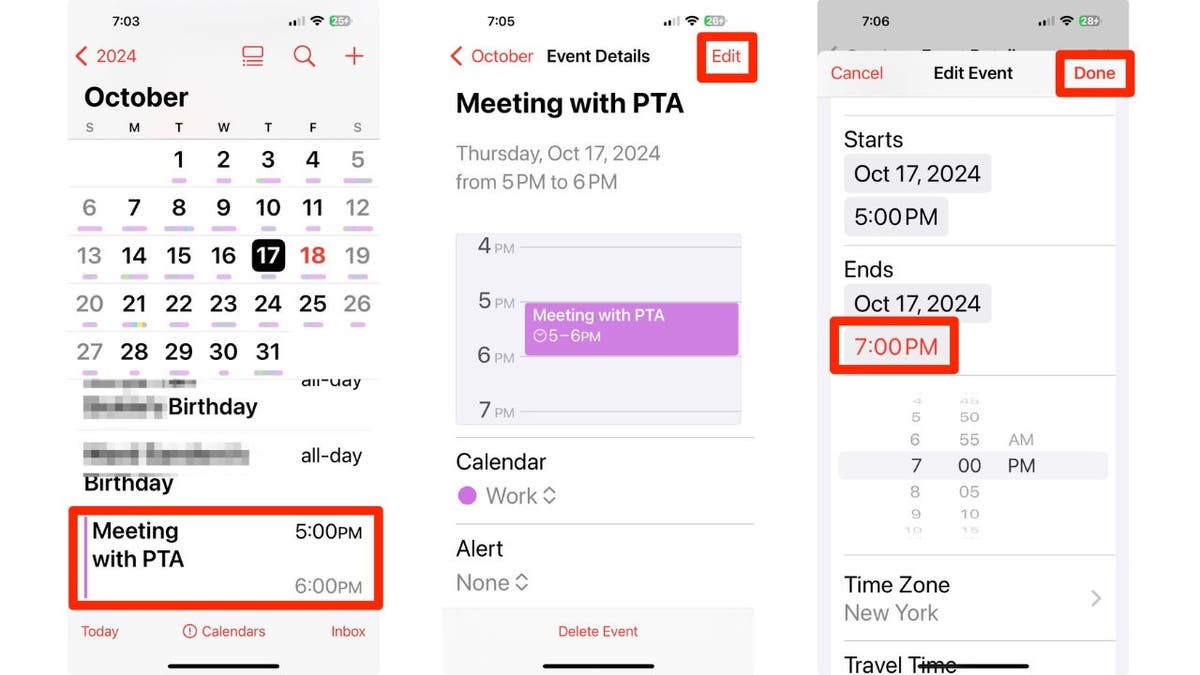
Steps to edit reminders in the Calendar app. (Kurt "CyberGuy" Knutsson)
APPLE'S BOLD MOVE INTO AI: NEW IPHONE 16, AIRPODS AND WATCHES
Explore new Calendar views
Customize your calendar display for optimal viewing:
- Open the Calendar app.
- Tap the view button at the top (grid icon).
- Choose from Compact, Stacked, Details or List views.
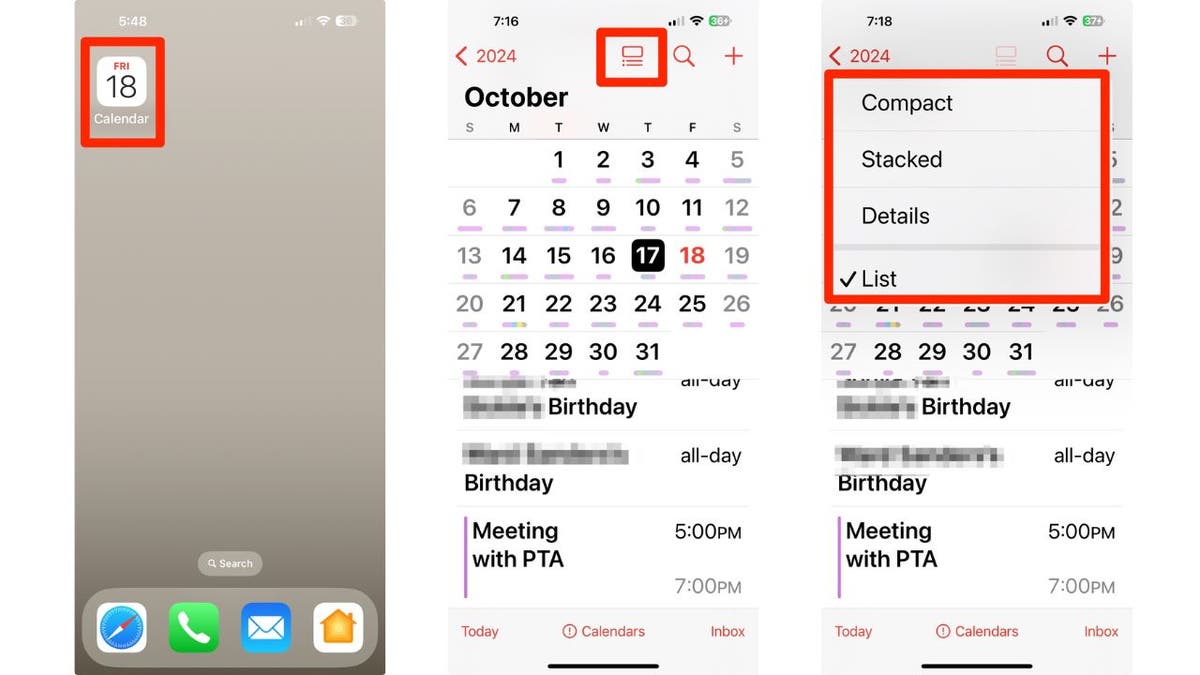
Steps to customize your Calendar display (Kurt "CyberGuy" Knutsson)
Multi Day view: See more at a glance
Get a broader perspective on your schedule:
- Click "Today" in the bottom left corner of the screen.
- Tap the "View" button in the top row (grid icon).
- Select "Multi Day" from the menu.
- View two consecutive days side-by-side.
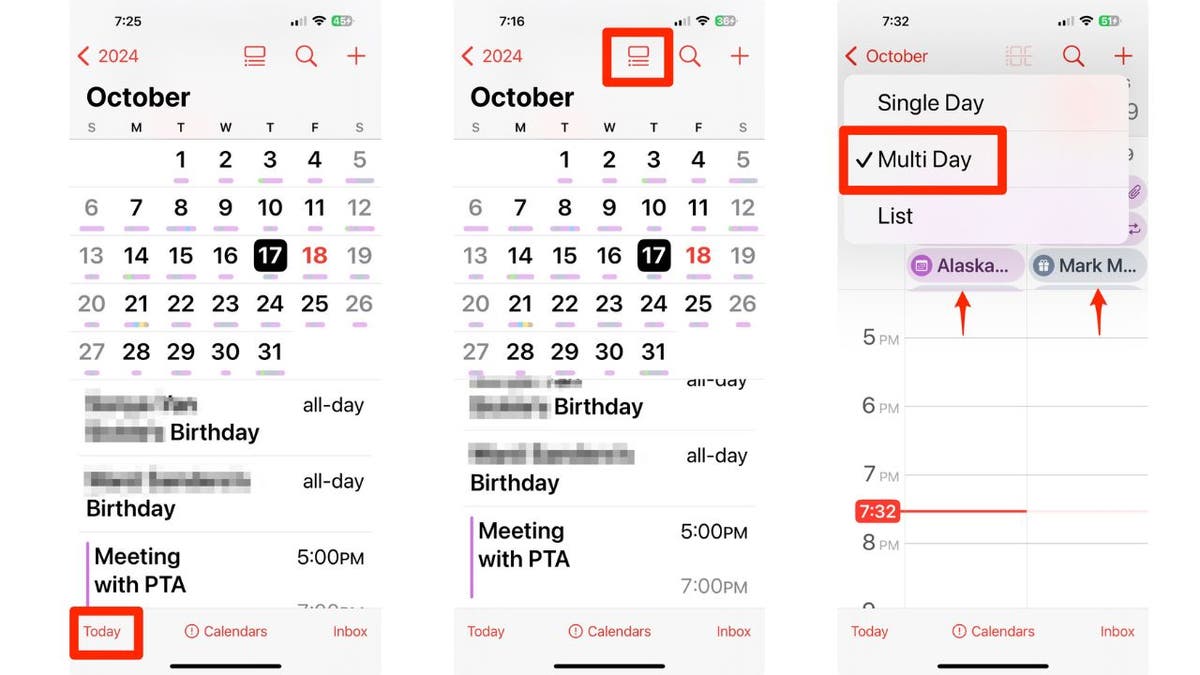
Steps to view Multi Day view. (Kurt "CyberGuy" Knutsson)
WHICH IPHONE 16 IS RIGHT FOR YOU? DISCOVER YOUR PERFECT MATCH
Kurt's key takeaways
The Calendar app in iOS 18 takes personal organization to a whole new level. By integrating reminders and offering versatile viewing options, it provides a centralized hub for managing your time and tasks. These new features eliminate the need to switch between apps, streamlining your workflow and helping you stay on top of your commitments more efficiently than ever before. Whether you're a busy professional or simply looking to organize your personal life better, the revamped Calendar app is a powerful tool that's worth exploring.
What features would you like to see in future updates of the Calendar app to enhance your planning experience? Let us know by writing us at Cyberguy.com/Contact
For more of my tech tips and security alerts, subscribe to my free CyberGuy Report Newsletter by heading to Cyberguy.com/Newsletter
Ask Kurt a question or let us know what stories you'd like us to cover.
Follow Kurt on his social channels:
Answers to the most-asked CyberGuy questions:
- What is the best way to protect your Mac, Windows, iPhone and Android devices from getting hacked?
- What is the best way to stay private, secure and anonymous while browsing the web?
- How can I get rid of robocalls with apps and data removal services?
- How do I remove my private data from the internet?
New from Kurt:
Copyright 2024 CyberGuy.com. All rights reserved.
https://www.foxnews.com/tech/get-organized-new-ios-18-calendar-features