 Print
Print
 Close
Close

Android secret tip: How to make your phone show a split screen
By Kurt Knutsson, CyberGuy Report
Published May 18, 2023
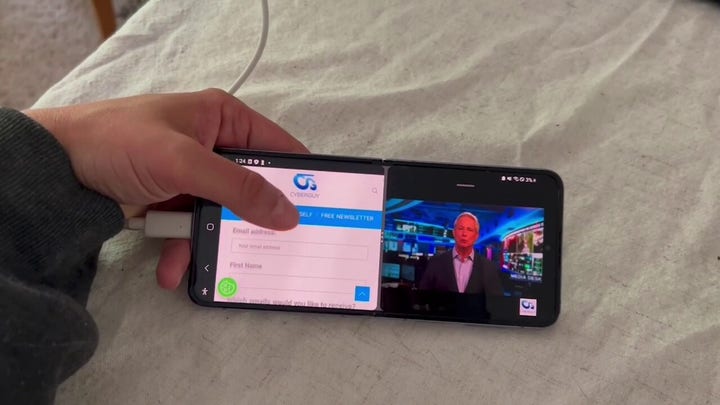
I always love finding a new hack on my Android, and this one is exceptionally helpful. There is a way for you to use more than one app at any given time on your Android by creating a split screen. I'm going to show you how easy it is to do it.
What are some benefits of having a split screen on my Android?
The best benefit of having a split screen on your Android is that you can complete multiple tasks at one time on one screen rather than having to flip back and forth between apps. This is certainly an advantage that Android owners have, as it is not a feature that is offered on Apple devices.
Note: Using the split screen feature on your Android is only available for Android 7 models or later. If you have an older model, you will need to upgrade to have this feature. Also, settings may vary depending on your Android phone's manufacturer.
EXPOSING THE TOP SCAMS TARGETING COSTCO SHOPPERS
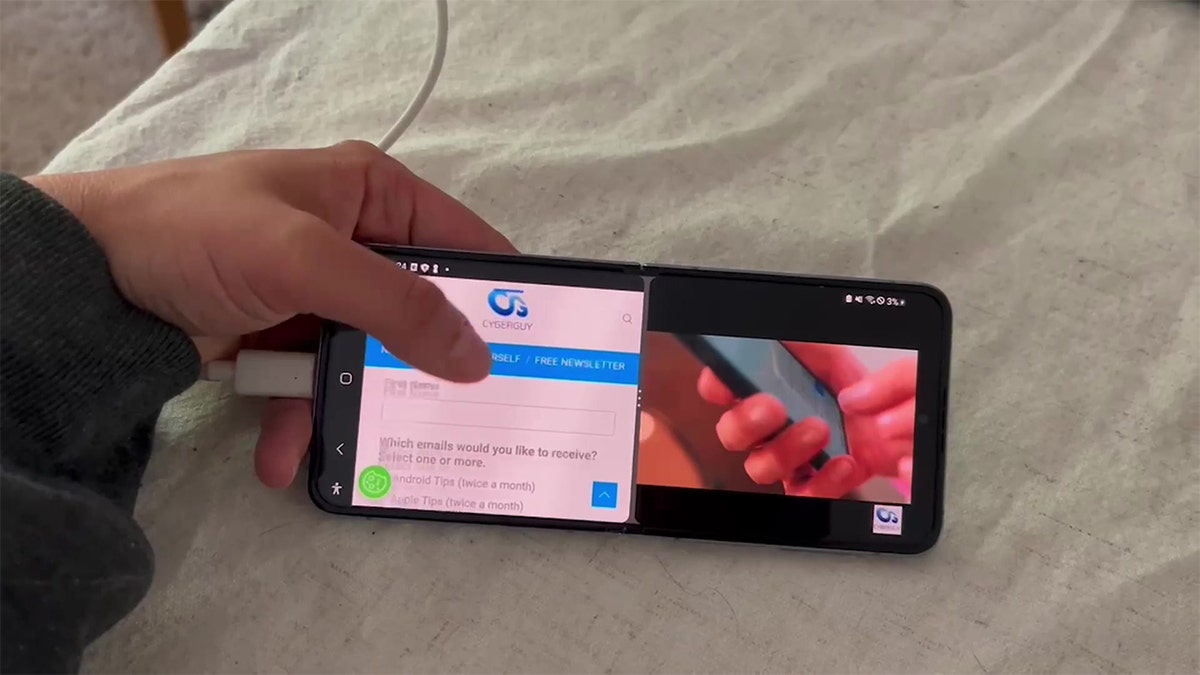
Android phones have the capability to split screen. ( )
For example, perhaps you're in the middle of texting your friend and then remember that you have an important email to send. You can split your screen between email and text messaging apps to keep both conversations going on at one time. Or maybe you're in the middle of watching a video on your Android, but you also want to scroll through social media. Splitting your screen can allow you to do both.
MORE: 5 THINGS YOU DIDN'T KNOW YOU CAN DO ON AN ANDROID
How to activate Split Screen on your Android
Settings may vary depending on your Android phone’s manufacturer
- Open the two apps that you want to use in your Split Screen
- Tap the app switcher icon
BEST FREE APPS FOR CREATING SHORT VIDEOS
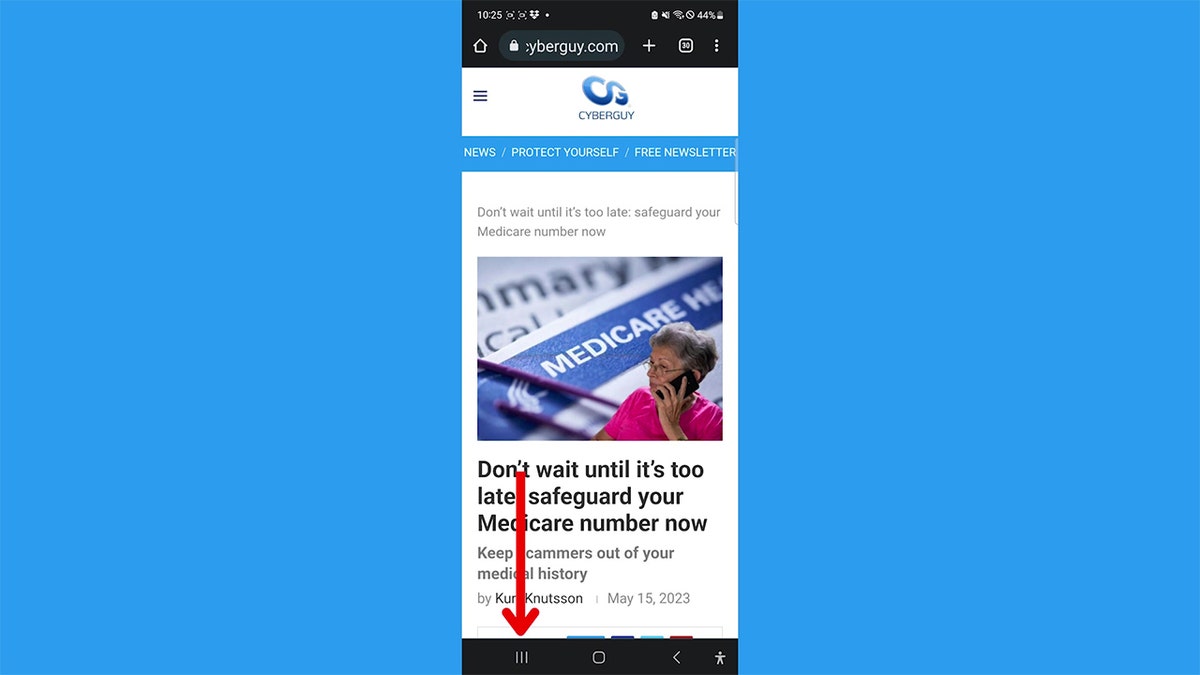
Screenshot instructions on how to select the app switcher icon. ( )
- Long-press the icon for the first app that you would like to use in split screen
BEST WAYS TO SEARCH FOR ANYTHING
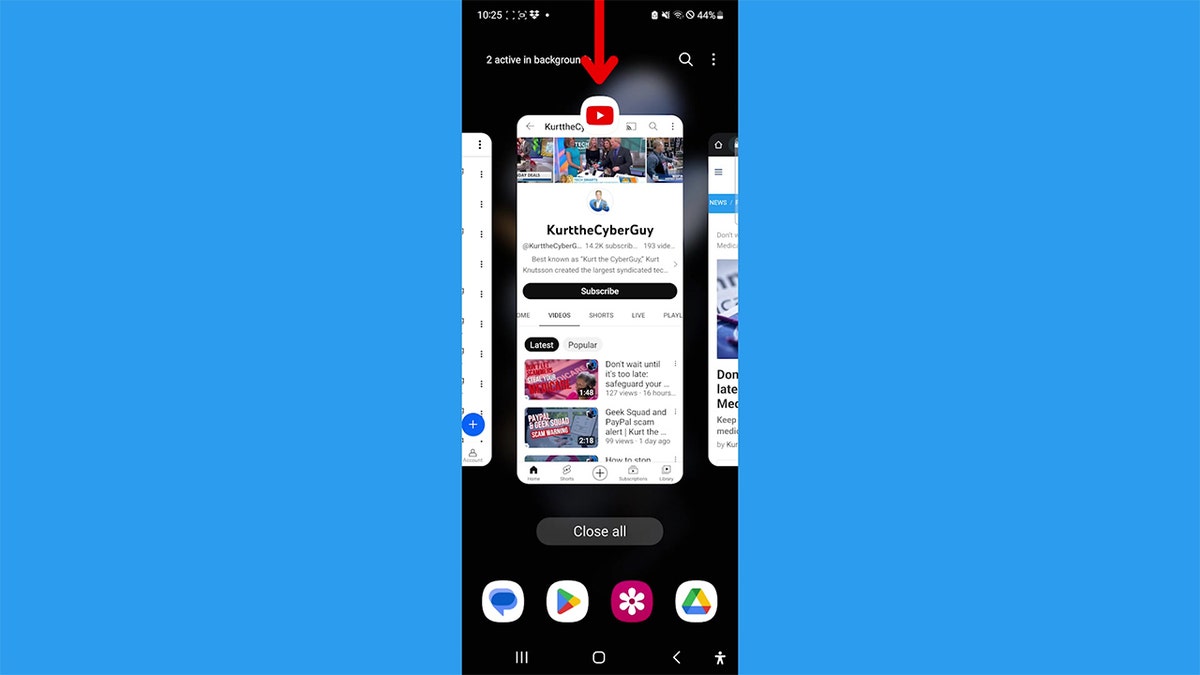
Instructions to long-press the icon of the first app. (CyberGuy.com)
- A screen will pop up that says Drop here to open. Release your finger from the screen to drop the first app
HOW CREEPY AUGMENTED REALITY ENABLES SEEING THROUGH WALLS
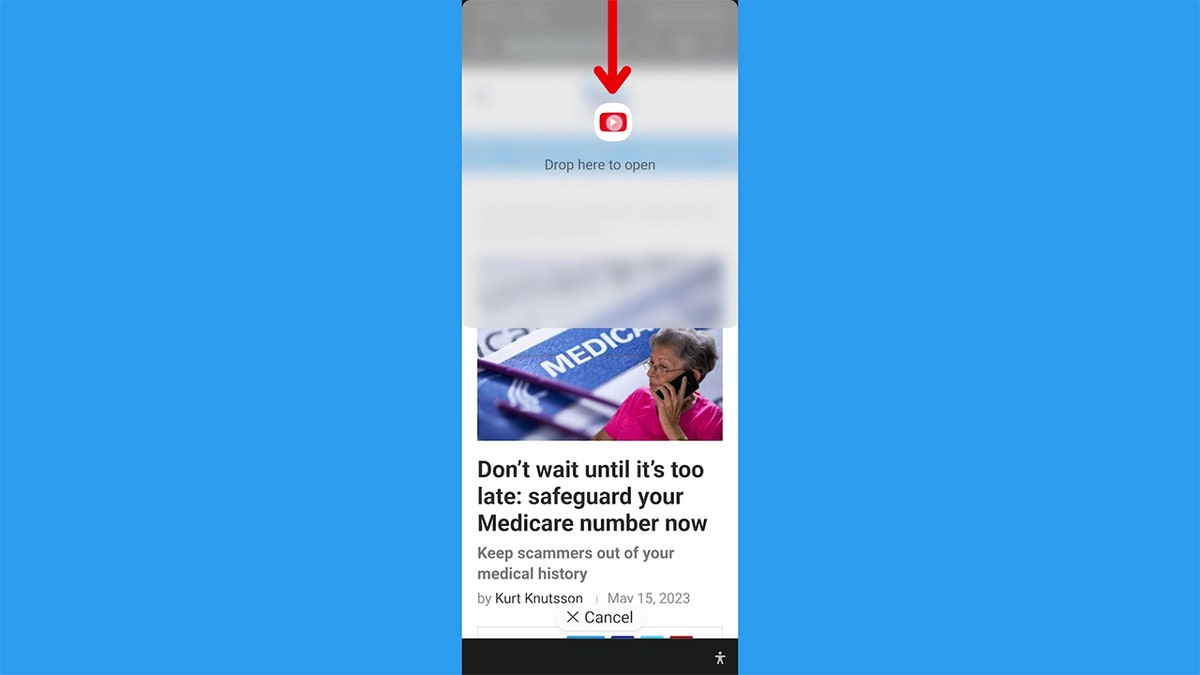
Instructions on how to drop on app on a portion of the screen. (CyberGuy.com)
- The two apps will appear automatically as a split screen
FREE UP STORAGE SPACE ON YOUR ANDROID WITH THIS UPDATED APP
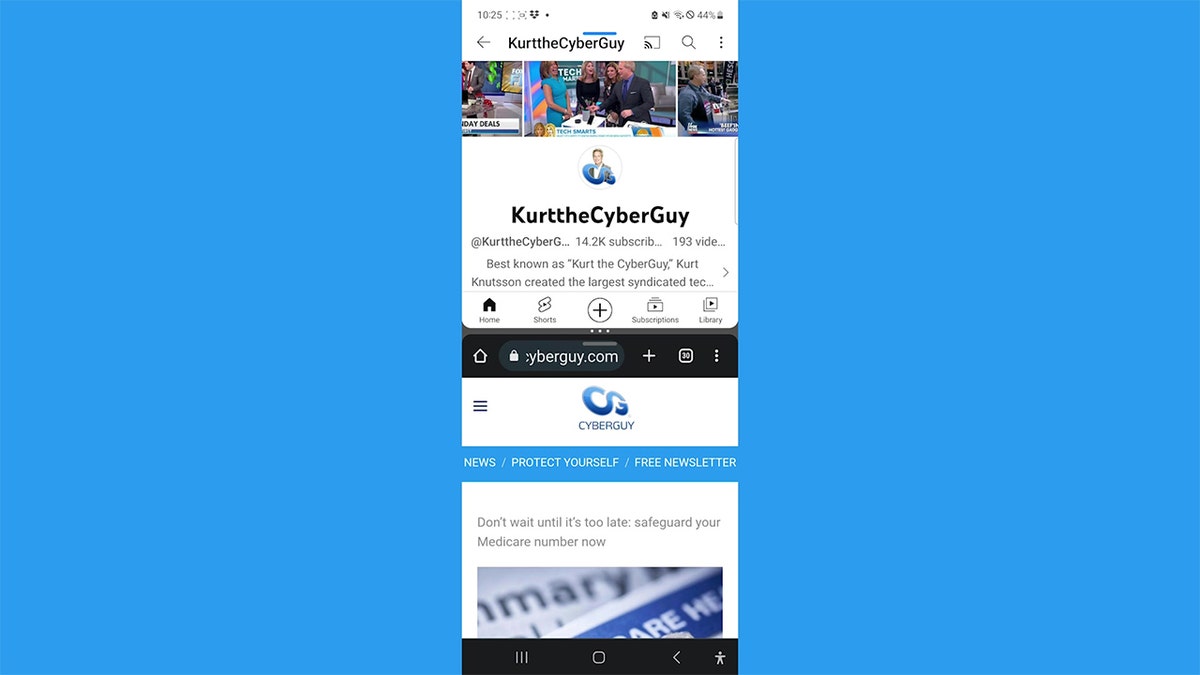
Screenshot of a vertical split screen on an Android phone. (CyberGuy.com)
- And if you rotate your phone horizontally, the screens will rotate too.
HOW TO PROPERLY DISPOSE OF YOUR NON-FUNCTIONAL IPHONE
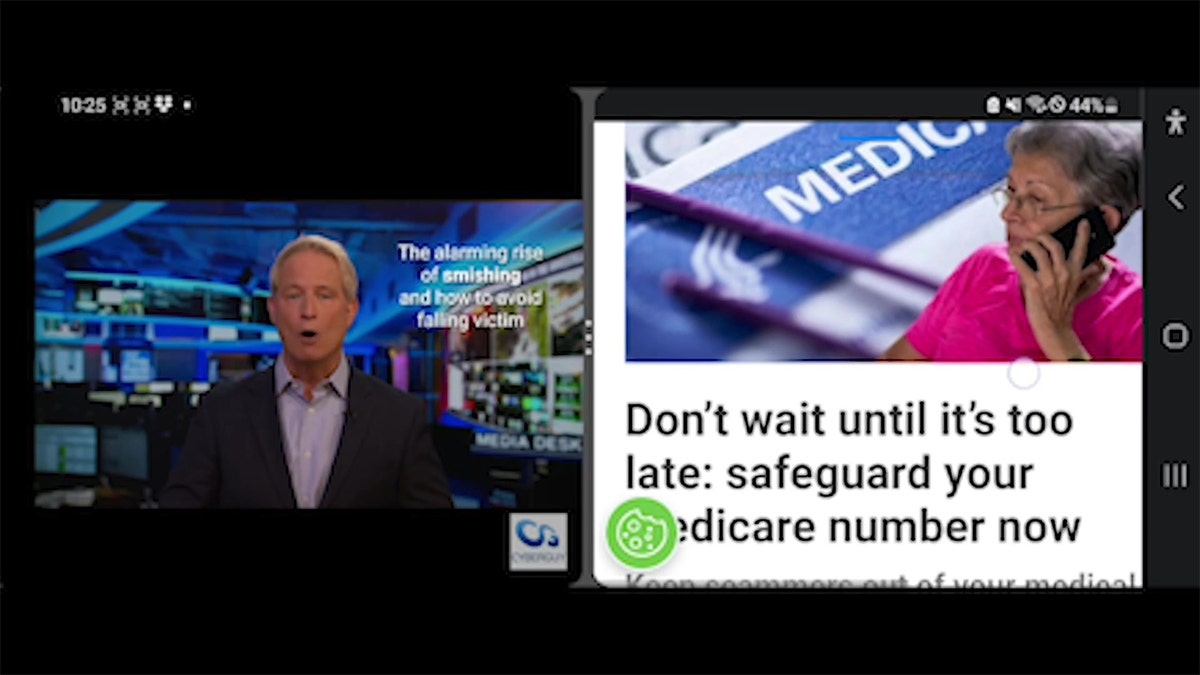
Horizontal view of the Android split screen. (CyberGuy.com)
MORE: HOW TO CLEAR CACHE ON AN ANDROID FOR IMPROVED PERFORMANCE
What’s your favorite shortcut on your phone? Let us know by commenting below.
Have you tried splitting your screen yet on your Android? Let us know by writing us at CyberGuy.com/Contact.
For more of my tips, subscribe to my free CyberGuy Report Newsletter by heading to CyberGuy.com/Newsletter.
Copyright 2023 CyberGuy.com. All rights reserved.
https://www.foxnews.com/tech/android-secret-tip-make-phone-show-split-screen